How to Create an AI Influencer
Updated October 2026
From blank page to a persona that posts daily and earns: the full process, the exact tools, and the platform rules that matter. No coding, no camera.
What is an AI influencer?
An AI influencer is a virtual persona — an original face, body and personality — whose photos and videos are generated by AI rather than shot on camera. A real person or team directs everything behind the scenes: what she looks like, what she posts, how she talks to fans.
The appeal is economic. A human influencer needs shoots, travel and rest; an AI influencer produces a month of content in an afternoon and never misses a posting day. Virtual models like Aitana López have shown the format earns real brand deals and subscription income — and the workflow behind it is now a product, not a research project.
Creating an AI influencer, step by step
Step 1: Define the niche and persona
Before generating a single image, decide who she is: the aesthetic (girl-next-door, fitness, alt, luxury), the age range and style, the platforms she'll live on, and whether she'll run SFW socials, a Fanvue or MYM account, or both. Write five lines of backstory — where she's "from", what she's into. It sounds soft, but this document drives every prompt, caption and DM later, and consistency of character is what separates an influencer from a folder of pretty images.
Step 2: Design her look with an AI influencer generator
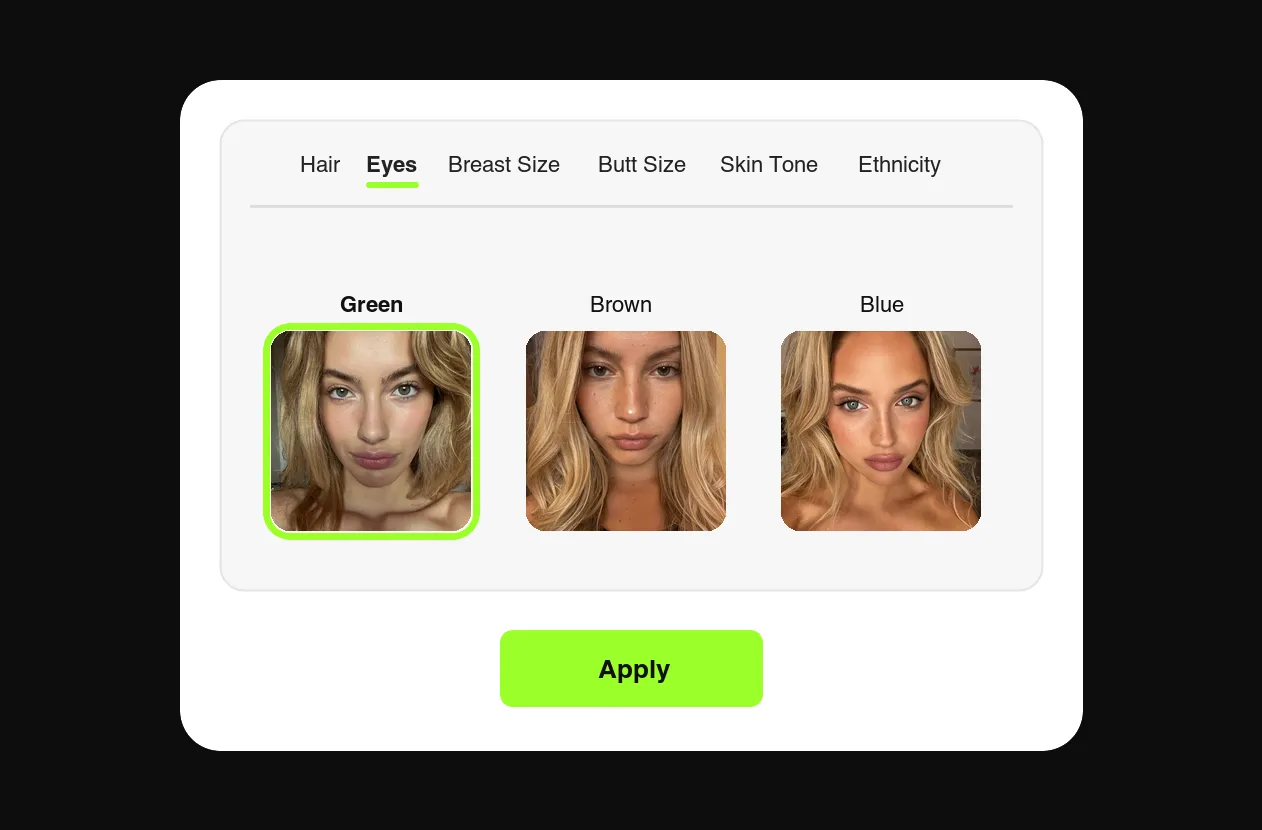
This is where the persona gets a face. In FansCreator's AI influencer generator, you assemble her from controls — hair, eyes, body composition, ethnicity, skin tone and more — and the generator locks that identity so every future image renders the same person. Two rules while designing: make her original (never generate from a real person's photos — that's a deepfake and a ban on every platform), and save the persona settings once you're happy, because this exact configuration is what keeps her consistent for the next thousand generations.
Step 3: Generate a consistent content library
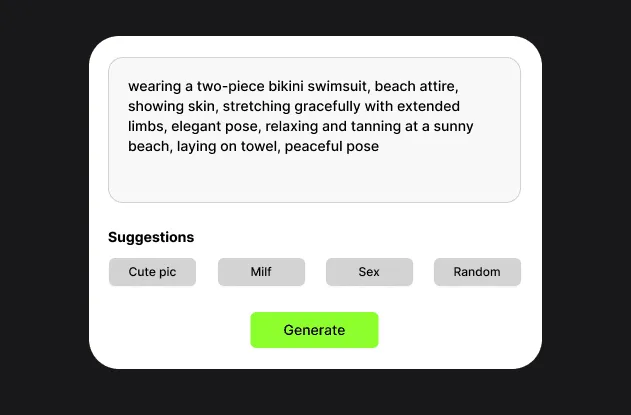
Now build inventory before launch — two to three weeks of content, so the accounts never go quiet. Prompt scene by scene ("mirror selfie, gym, morning light", "beach at golden hour") or use the generator's suggested prompts, and produce a mix: feed photos, short videos, and, if Fanvue or MYM is part of the plan, NSFW sets for subscribers and pay-per-view. Aim for variety in scenes and outfits with zero variety in identity; the same face in every frame is the product.
Step 4: Set up the accounts
Create her Instagram, TikTok and X accounts for reach, and a Fanvue or MYM account for revenue. Both allow AI creators: Fanvue verifies you as the operator and shows an AI tag on the profile, and MYM asks for "Virtual Image", #AI or #AIgenerated on posts and adds an "AI profile" badge to the account. Skip OnlyFans and Fansly for an AI persona. OnlyFans only allows AI content that "clearly features the verified Creator" and lists "accounts or content that are wholly AI-generated" as content you cannot share; Fansly bans photorealistic AI even when labeled. The exact clauses are on our AI content policy page. Instagram and TikTok likewise require AI-generated content to be disclosed with their built-in labels.
Step 5: Post on a schedule, not on inspiration
Consistency beats brilliance in the feed game: daily posts on socials, several posts a week on Fanvue or MYM. FansCreator exports every piece in per-platform formats for Instagram, TikTok and X, and you post it yourself, so a week of content is a batch job, not a daily chore. Use the SFW socials as the funnel (teasers, personality, trends) and the Fanvue or MYM link in bio as the destination.
Step 6: Monetize and scale
Revenue starts with Fanvue or MYM subscriptions, then grows through pay-per-view messages and custom requests — the same playbook human creators run, at a fraction of the production cost. Once one persona earns, the workflow scales sideways: a second persona in a different niche costs prompts, not photoshoots. That's how agencies run a roster on the Basic and Pro plans. Already a verified OnlyFans creator? See how creators use AI on OnlyFans for AI content of yourself.